Why I Built JesSee: Give AI the Parts of a Video That Matter
I built JesSee because a screen recording held the product context AI needed, while a pile of screenshots lost the sequence. Then I had to make it usable without API keys.
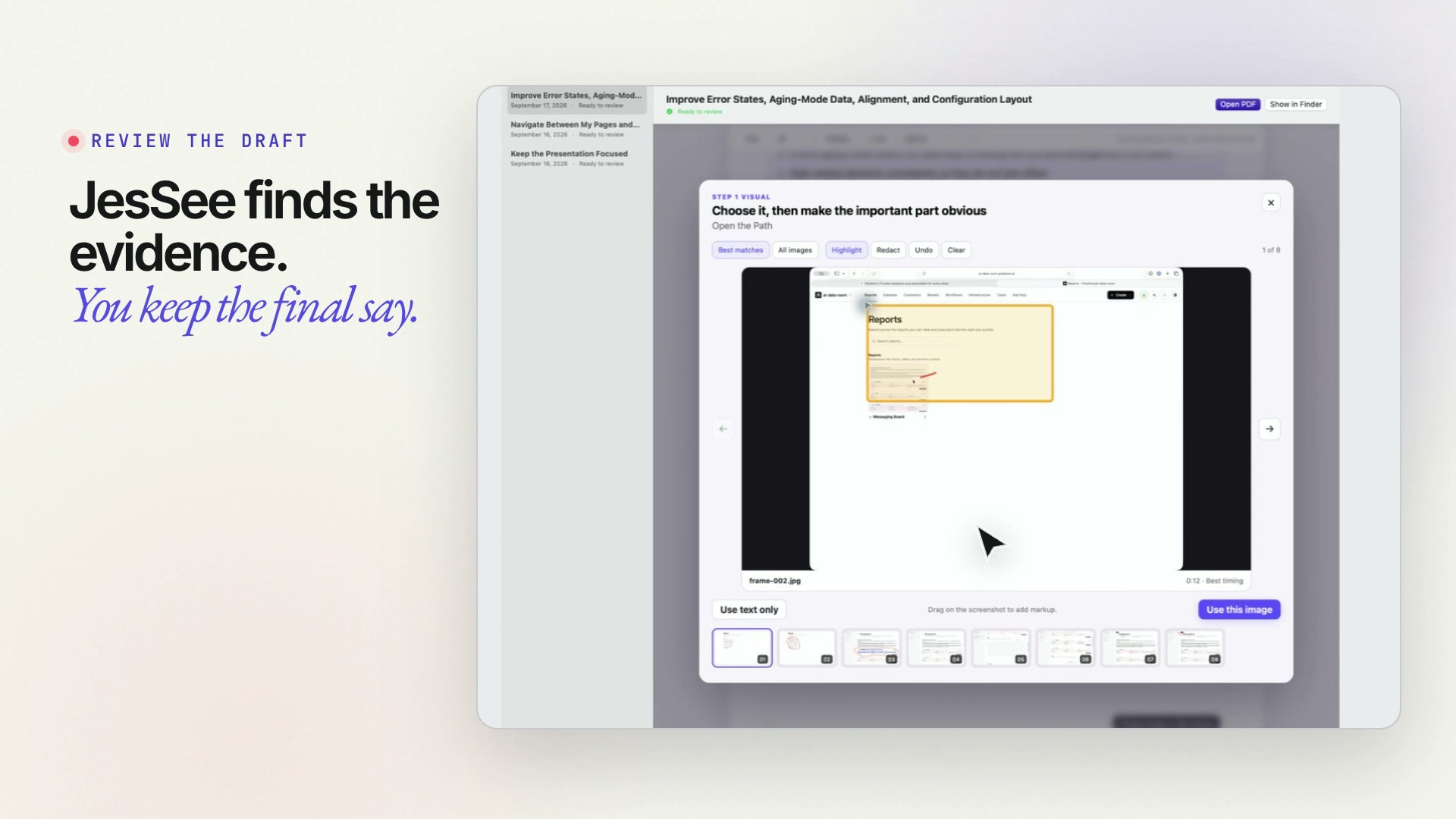
I kept recording the exact context an AI needed, then throwing the video away and rebuilding it as screenshots.
When I am improving a product, I do not naturally think in isolated still images. I click through the experience. I explain what I expected. I point at the moment the interface became confusing, show the state before it, and narrate the change I want.
A screen recording captures all of that. But the AI tools I was using could not reliably work with the video itself. So I would stop, take a pile of screenshots, upload them one at a time, and type the sequence back out.
It always sucked. A screenshot could show a broken state, but not how I arrived there. It could show a button, but not the hesitation before I clicked it. The most useful context—the order, intent, and relationship between moments—was the first thing I lost.
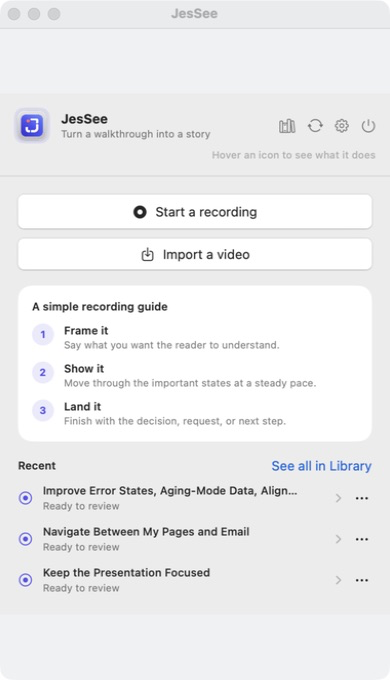
That is why I built JesSee: a native Mac app that lets me explain a product the way I already work, then turns that recording into a reviewable visual story designed for AI.
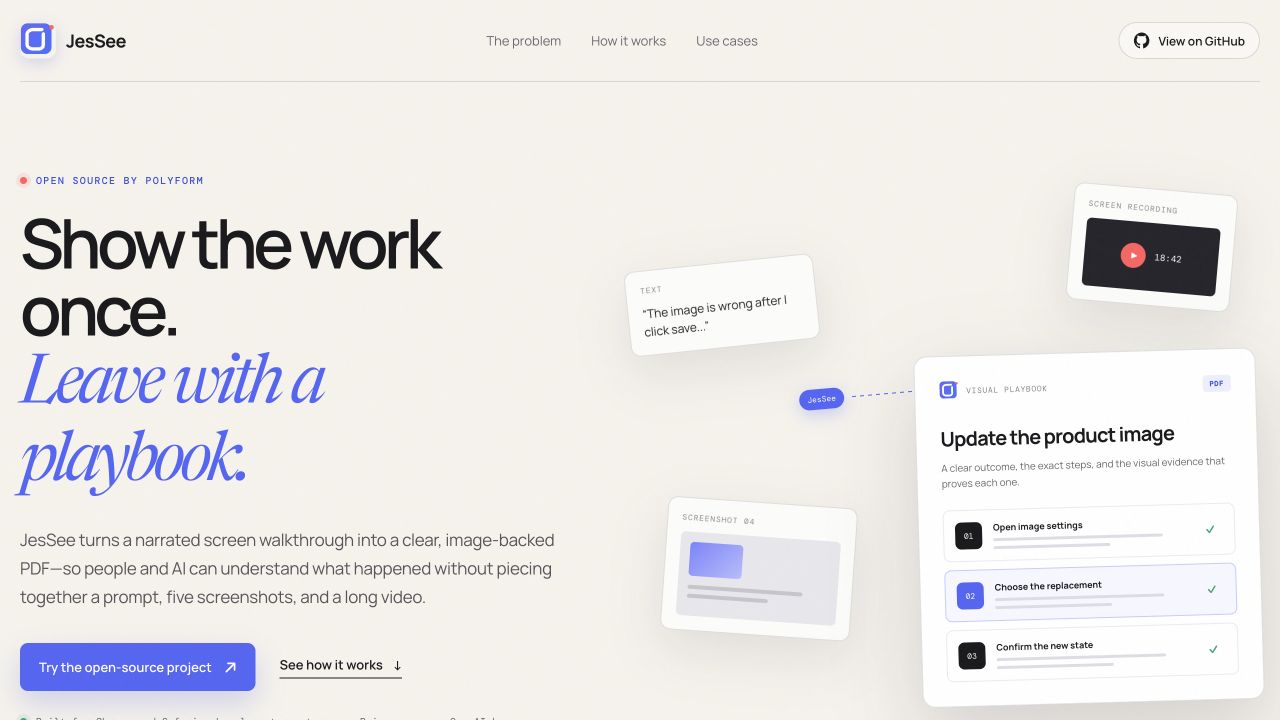
AI did not need more pixels. It needed the sequence.
A long video is not automatically useful context. It asks the model—or a person—to find the few moments that matter inside minutes of motion and speech. A folder of screenshots creates the opposite problem: it removes the time, narration, and cause-and-effect that made those moments meaningful.
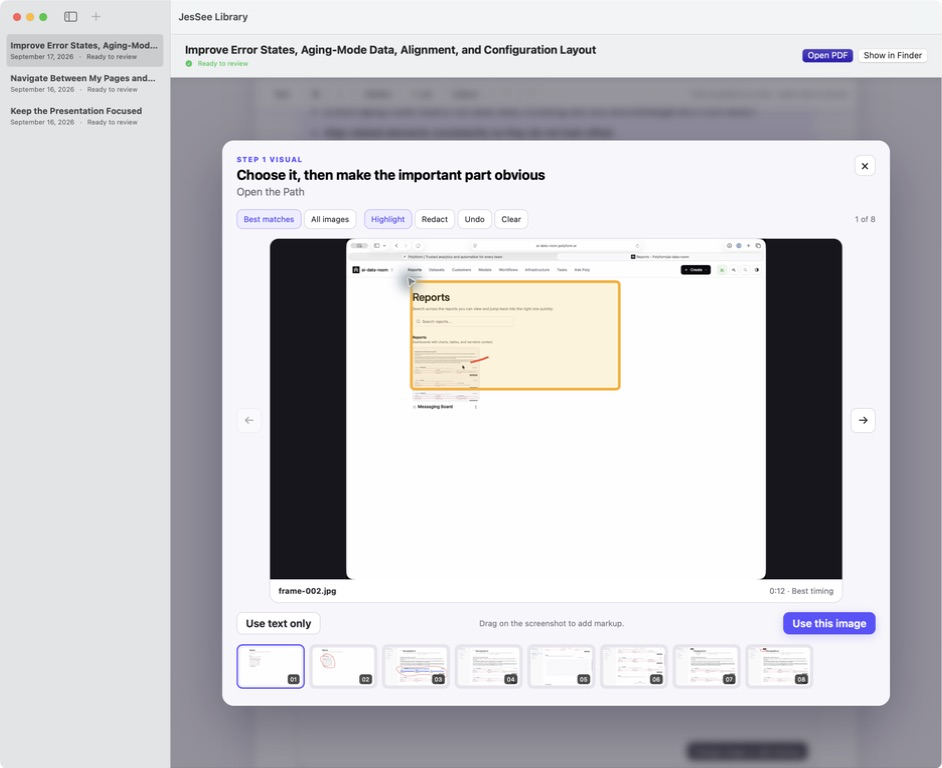
I wanted the middle. Keep the recording as the source, find the frames that explain the story, align them with what I said, and let me remove, reorder, annotate, or add the context that the first pass missed.
What I kept sending
- A long video the AI could not inspect well
- A pile of screenshots with no reliable order
- Repeated explanations typed from memory
- Missing transitions, intent, and cause
What JesSee prepares
- The transcript of what I actually said
- Selected frames aligned to the right moments
- Markup, captions, and edits I can review
- A compact PDF or HTML story I can hand off
The recording remains the source. The output contains the parts that make the source understandable.
The product lets me stay in the way I already think
I can record a walkthrough or import one, then let JesSee transcribe the narration and propose the frames that belong with it. The result is not a finished artifact that I have to trust blindly. It opens as a story I can inspect.
I can change the wording, remove a frame, add another screenshot, or draw directly on an image to make the problem obvious. When the story is right, I can export it as a PDF or HTML package and give the AI a small, legible representation of the product problem.
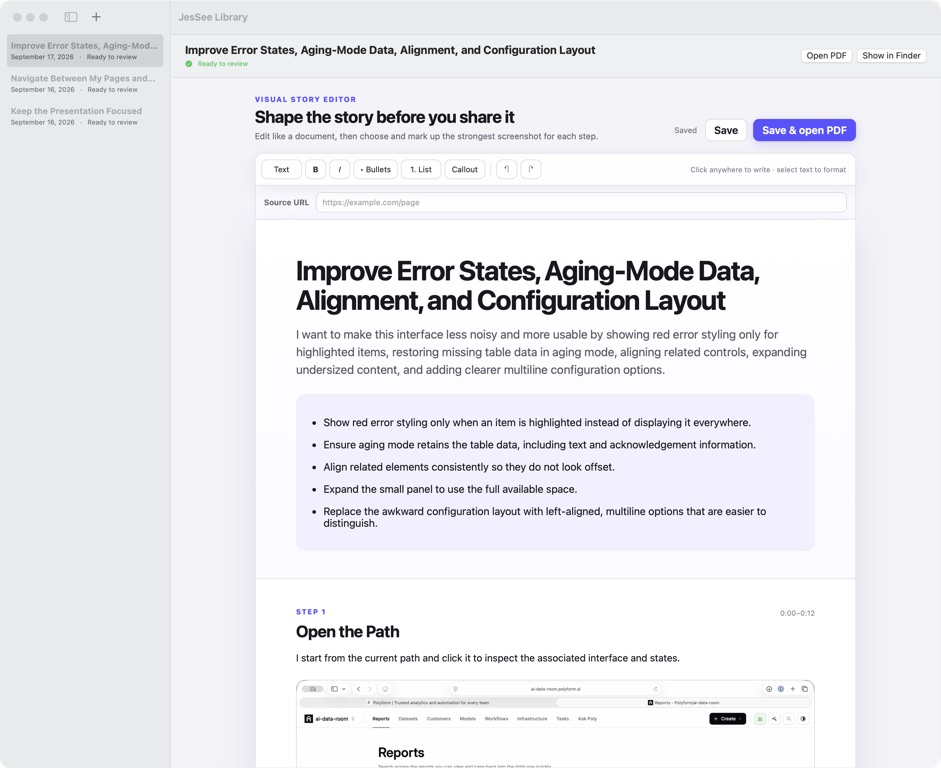
That changed my relationship with screen recording. It stopped being a file I would eventually have to summarize and became the fastest way to create the context for the next piece of work.
Open source exposed the next problem
JesSee was useful enough for me that I open-sourced it and started giving it to other people. That was exciting. It also made the difference between software that works for its builder and a product that works for someone else impossible to ignore.
The first version assumed that users understood API keys. They had to know what a key was, find the right dashboard, create one, paste it into the app, understand why billing might fail, and figure out whether an error came from JesSee or the model provider.
Technical users could choose that path. Non-technical users should not have to become infrastructure operators before they can explain a UI problem.
I made JesSee a customer of Polyform
The cleanest way to solve that was to treat JesSee like a company using Polyform. It has its own product boundary, authenticated users, workflows, operating history, and support context.
Someone can sign in with email. JesSee completes an authorization flow, stores a short-lived bearer session in the Mac Keychain, refreshes it when needed, and calls scoped Polyform workflows for the AI work. A user can still bring their own OpenAI key if they prefer. The product no longer depends on every person understanding the machinery underneath it.
Polyform gives me the part a wrapper alone would not: one place to see the workflow, the user and product context it is allowed to use, where it failed, and what changed. I can support the customer experience instead of asking the customer to debug a chain of vendors.
The privacy boundary matters too. Recordings, screenshots, and exported stories stay local on the Mac. With managed workflows, temporary audio and the selected evidence needed for a request are sent for processing. JesSee does not need to turn a person’s entire visual history into a cloud library.
This is what Polyform workflows are supposed to make possible: a focused product can inherit authentication, durable operating context, observable execution, and controlled AI work without rebuilding those pieces from scratch.
Narrate the sequence instead of reconstructing it from memory.
Align the transcript, frames, annotations, and edits.
Let other people use the workflow and reveal its rough edges.
Offer email sign-in and managed workflows, while preserving BYO key.
Understand users, workflow history, failures, and recovery in Polyform.
The AI feature became a product when a person could use it without also operating the stack behind it.
The launch made the larger idea tangible
I built JesSee to remove a very personal annoyance. Launching it showed me something larger: the best AI product is often not a chat box with more capabilities. It is a familiar way of working, redesigned so the AI receives better context and the person keeps a clear review surface.
The open-source app still matters. The local-first model still matters. The ability to bring your own key still matters. Polyform did not replace those choices. It let me add a managed path for people who just wanted the product to work.
That is the part I am most excited to share. JesSee began as a way to help AI see what I see. Building it as a real Polyform customer taught me how to make that experience understandable, supportable, and available to people who should never have needed an API key in the first place.