I Asked Poly to Build an E-Commerce Analytics Workspace
One Ask Poly conversation created a synthetic e-commerce activity layer, 28 connected product objects, and three reports—while keeping the review and remaining work visible.
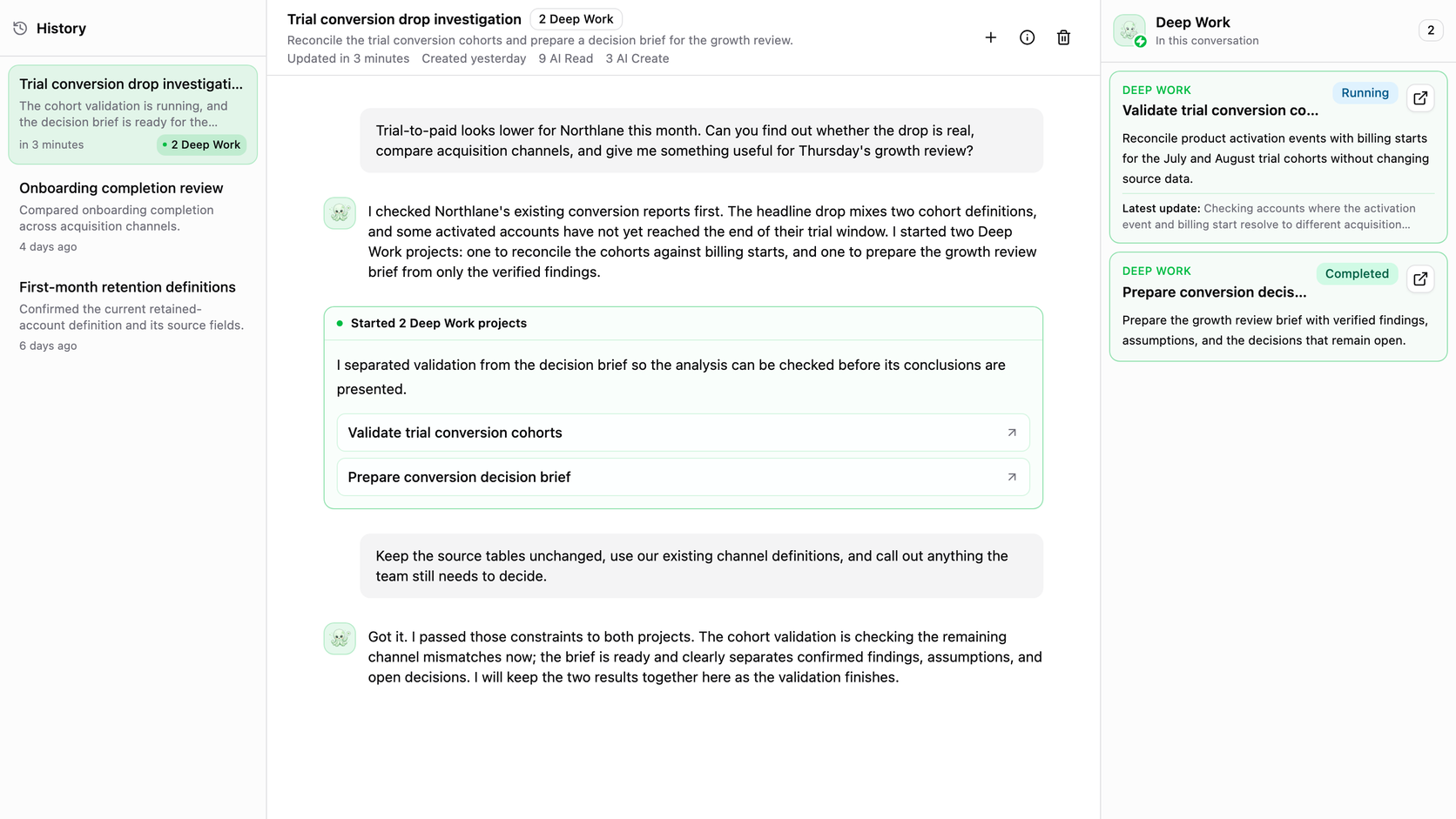
I built Poly, and this still caught me off guard.
One of the strongest signals I have been getting in customer conversations is not a benchmark. People are bringing bigger requests into Ask Poly and telling us the result is more useful. They are no longer treating it as a box for one-off questions. They are treating the conversation as the place where the work begins and comes back.
I wanted to see how far that could go, so I gave Poly a job I had been avoiding: build a complete, demo-ready e-commerce analytics workspace from a synthetic BigQuery schema.
The job I did not want to doA realistic company setup is not one dashboard
Setting up analytics for an e-commerce company is a chain of dependent decisions. You inspect the warehouse. You determine which records represent customers, sessions, orders, products, campaigns, returns, refunds, and support. You resolve anonymous activity to known customers. You decide how to handle duplicate and late events. Then you define reusable Activities, Dimensions, and measures before anyone can trust a report built on top.
After that, you still have to create the customer-level datasets, build the reports, inspect the rendered result, correct the bad assumptions, and decide which workflows are safe to demonstrate. For a real customer, discovery, definition, production hardening, and approval can span weeks. Even for a controlled synthetic demo, I would normally expect roughly a week of focused work from myself.
I did not want to spend that week clicking through the product and hand-building every object. So I asked Poly to take the whole setup as one continuing piece of work.
Give the goal, source, important business questions, and safety boundaries.
Find tables, grains, identifiers, timestamps, relationships, and financial fields.
Resolve identity, deduplicate events, publish Activities, and reconcile totals.
Keep customer, order, product, campaign, margin, and lifecycle meaning connected.
Create decision-ready views and keep demonstration workflows deliberately inactive.
Render dashboards, catch presentation defects, record limitations, and continue the same work.
The important product is the whole path—not a chat response that describes what someone else still has to build.
Poly turned the request into 28 connected objects
Poly sent the job to one Deep Work task. That agent ran in a dedicated computer environment using Codex or Claude Code, inspected the available warehouse structure, used Polyform's permission-scoped tools, and built the system in place.
The verified result was a session-stitched activity stream with 98,366 deduplicated rows across 12 Activities. The original request named ten core events; the agent added Session Started and Product Purchased because the funnel and product-grain analyses needed them. It created five reusable Dimensions, four activity datasets, three reports, and two demonstration workflows. Together with the stream and transformation, that became 28 connected product objects.
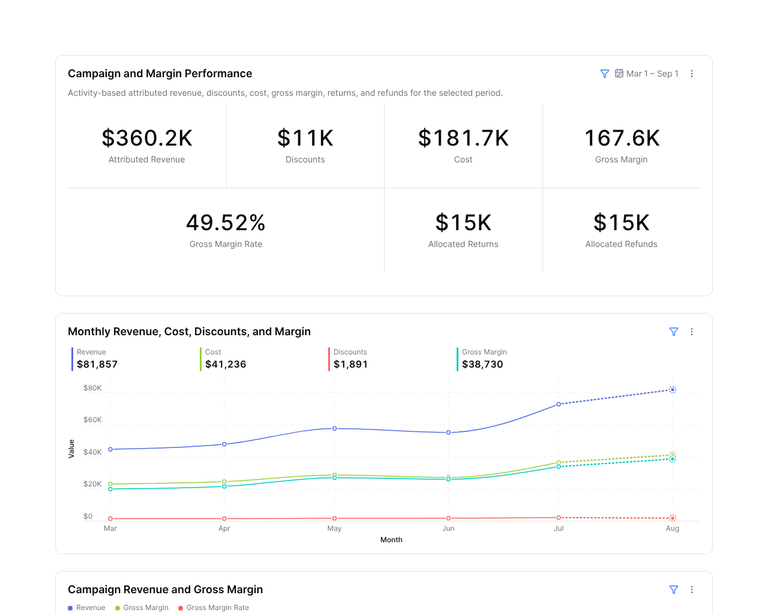
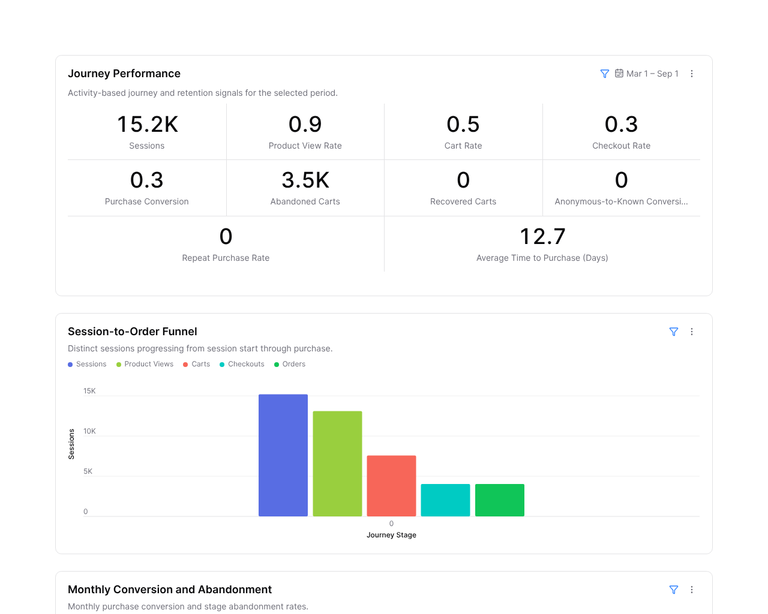
The reports covered an executive overview, the customer journey and conversion funnel, and campaign, margin, and customer operations. Each report contained eight validated plots. The two email workflow shells—next-best-product and abandoned-cart follow-up—were manual-only, with no recipients, secrets, schedules, provider, or send step.
That last boundary matters. The goal was to make the sample complete enough to understand, not to create a fake automation that could accidentally contact someone.
This only works if the system was built for AI from day one
The impressive part was not a larger prompt. It was the system underneath the prompt.
If you want AI to do real work, machine operability cannot be an integration you bolt on later. The important parts of the product need a permission-scoped way to be inspected, changed, tested, and traced. For Polyform, that meant making system actions available to the command-line and product tools that Deep Work can operate.
-
01
Business requestThe outcome, constraints, and decision that matter
Poly holds the goal
-
02
Maintained contextDefinitions, meeting notes, Tasks, priorities, and permissions
The business meaning
-
03
Machine-operable systemFiles, command-line tools, data, and product actions
What Deep Work can reach
-
04
Durable product stateActivities, Dimensions, Datasets, Reports, and Workflows
The work remains usable
-
05
Validation and reviewTests, rendered evidence, limitations, and the next decision
The result can be trusted
The chat is only the front door. The real product is the connected system the AI can inspect, change, validate, and leave better than it found it.
That design changes what “context” means. The agent does not need every file, definition, meeting, and product object pasted into one enormous chat message. It can inspect the files and system state it needs inside its computer. Poly can retrieve permitted company Knowledge, Tasks, Meeting Notes, prior decisions, and connected product objects that give the request business meaning.
This does not make context windows irrelevant, and it does not mean Poly arrives knowing a company. The customer and our dedicated expert still create, approve, and maintain the business context. The difference is that the context has a durable home and the AI has an authorized way to find the right part while it works.
One experience, two jobsPoly holds the conversation. Deep Work carries the job.
There are two very different kinds of work happening here, and the experience feels good because neither one is pretending to be the other.
I talk to Poly about the result I want. Poly keeps the business goal, retrieves the permitted company context, and decides whether it can answer directly or whether the request needs substantial execution. For the e-commerce build, Poly started one Deep Work task and stayed connected to it.
Deep Work is where the messy part happens. It opens a dedicated computer environment, runs Codex or Claude Code, inspects files and systems, uses the command line and Polyform tools, creates the product objects, and validates what it built. That task keeps its own plan, progress, artifacts, and execution history, so I do not have to live in a terminal or carry every implementation detail in my chat.
While Deep Work runs, Poly remains the interface. It can turn the worker's progress into a useful update, send a confirmed constraint back to that exact task, ask me when a real business decision is missing, and bring the finished objects and evidence back into the same conversation. I can review the result, point out the bad percentage formatting, and continue the work without starting over.
Poly stays with you
- Understands the outcome and constraints
- Retrieves permitted business context
- Starts, follows, and redirects the right work
- Returns progress, decisions, and results
Deep Work runs the computer
- Uses Codex or Claude Code in a dedicated environment
- Inspects files, data, tools, and product state
- Builds and changes permitted objects
- Tests the work and preserves the evidence
I keep one conversation. Deep Work keeps its execution state. Poly keeps the two connected.
That is the part I really like. The power is not hidden, but I do not have to babysit it. I can stay focused on the outcome and the judgment calls while Deep Work handles the implementation. The separation makes the experience both simpler and more controllable.
The surprise was not that the AI was flawless
The work record is more interesting because it includes the defects.
During the build, a dashboard check caught a boolean field that could not be summed as a monthly measure. The first rendered executive report exposed a timestamp being used as both the time axis and a series. Poly corrected both before it completed the initial handoff.
My own review then caught another presentation issue: some rates were still shown as decimal numbers instead of percentages. I asked Poly to correct the display, explore useful cohorts, and build an analysis deck. A later refinement run stopped unexpectedly before all of that work finished. The system kept the objects already created, the generated artifacts, the failure state, and the next work visible.
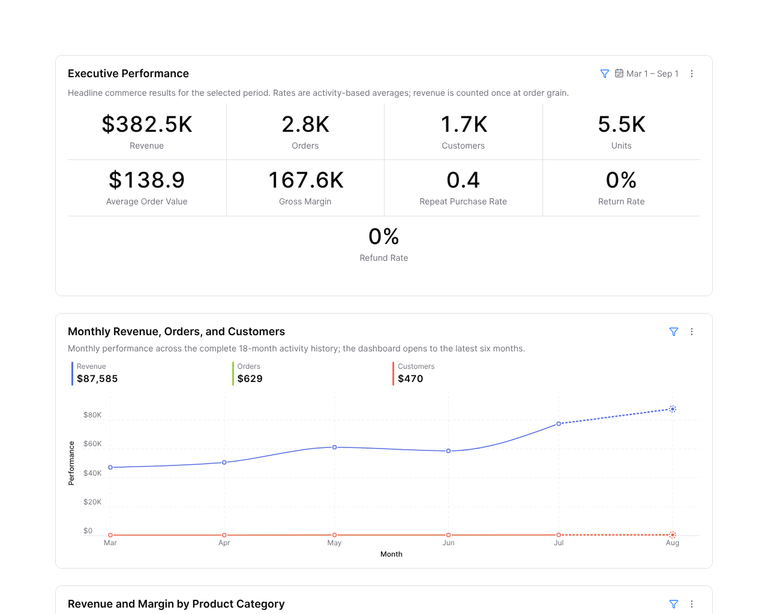
Follow-up work in the same synthetic workspace has since added cohorts, review Tasks, meeting context, and an editable eight-slide analysis deck with a matching PDF. Those were follow-ups, not all products of the first prompt. That distinction is worth preserving.
I do not think the lesson is that experts disappear. I think the lesson is that the expert can move up a level. Instead of hand-building every Activity and report, I could inspect the definitions, catch the bad display, challenge the analysis boundary, and decide what should happen next.
Ask Poly is becoming the front door to the whole system
I started this experiment because I did not want to build a sample company. I ended it with a much clearer picture of what the AI chat is becoming. It is the working version of the argument I made earlier: chat should supervise the work.
Ask Poly is not useful because it hides the system. It is useful because it gives someone one understandable place to state the outcome while Poly manages the complicated work underneath: the computer, tools, data model, context, validation, artifacts, progress, failure, and recovery.
If you want to see the synthetic e-commerce dataset and the workspace it produced, email me and ask for e-commerce sample access. I will share the test dataset and walk you through what Poly built, what it caught, and what still needed a person.